Skip to content
  1. Blog
  2. Covers

Covers#Covers#Recording#Microphones

Vocal recording depends more on placement than on the mic: distance, angle and room

Before buying a more expensive mic, look at the distance from your mouth, the angle and the reflections in the room. Starting positions to try at home, and why proximity effect and plosives change the sound.

Written by the site’s operator3 min read
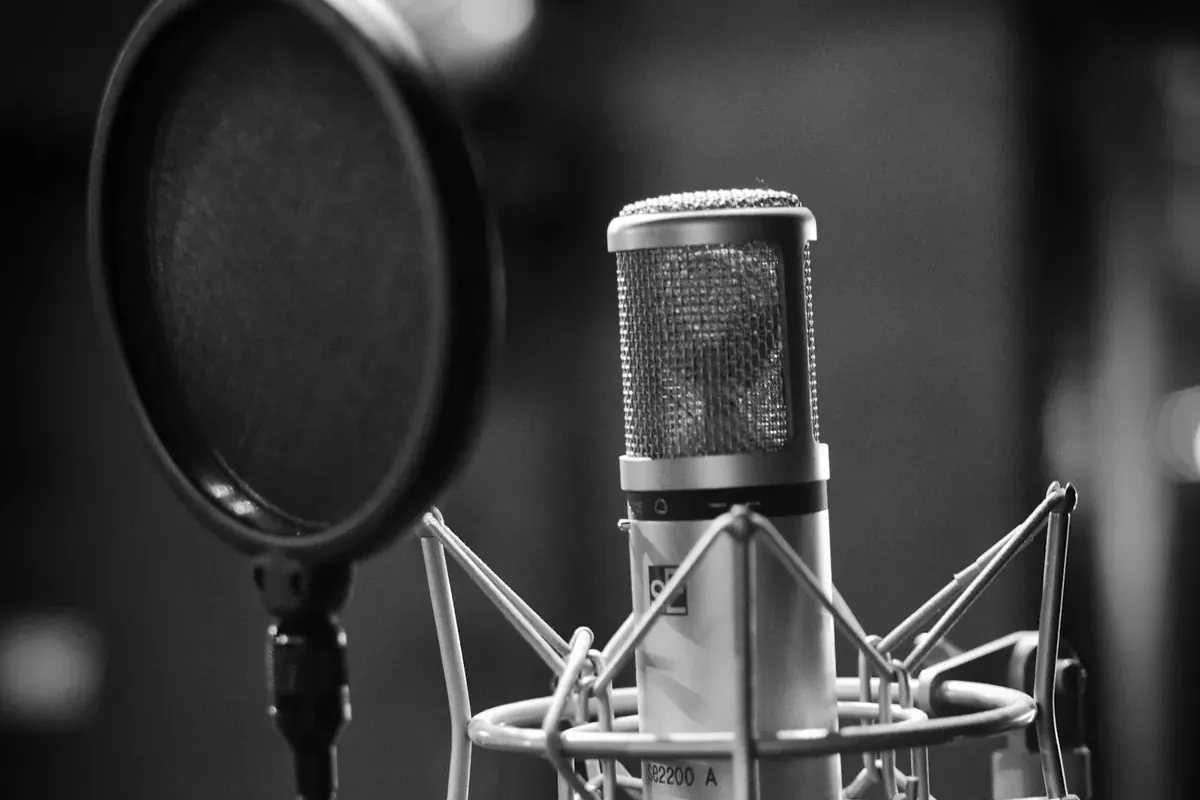
A condenser microphone behind a pop filter
A pop filter stops plosives and also marks where your mouth should be.Photo: Leo Wieling / Unsplash License / Unsplash

Same mic, different sound every time — boomy one day, distant the next. The mic has not changed. Where you put it has.

A small change in distance or angle changes the recording a lot. Before replacing the mic, it usually pays to rethink the placement.

Start 10–20 cm from the mouth

With an ordinary cardioid mic, 10–20 cm from the mouth is an easy place to start. It is not a fixed rule; voice, mic and room all change it.

Closer means more direct voice and relatively less room and background noise. But directional mics have proximity effect: the closer you get, the more bass. Useful for body; too close and it gets boomy and muffled.

Further away brings more natural air — and more room reflections and computer fan noise. At home, further is not automatically better.
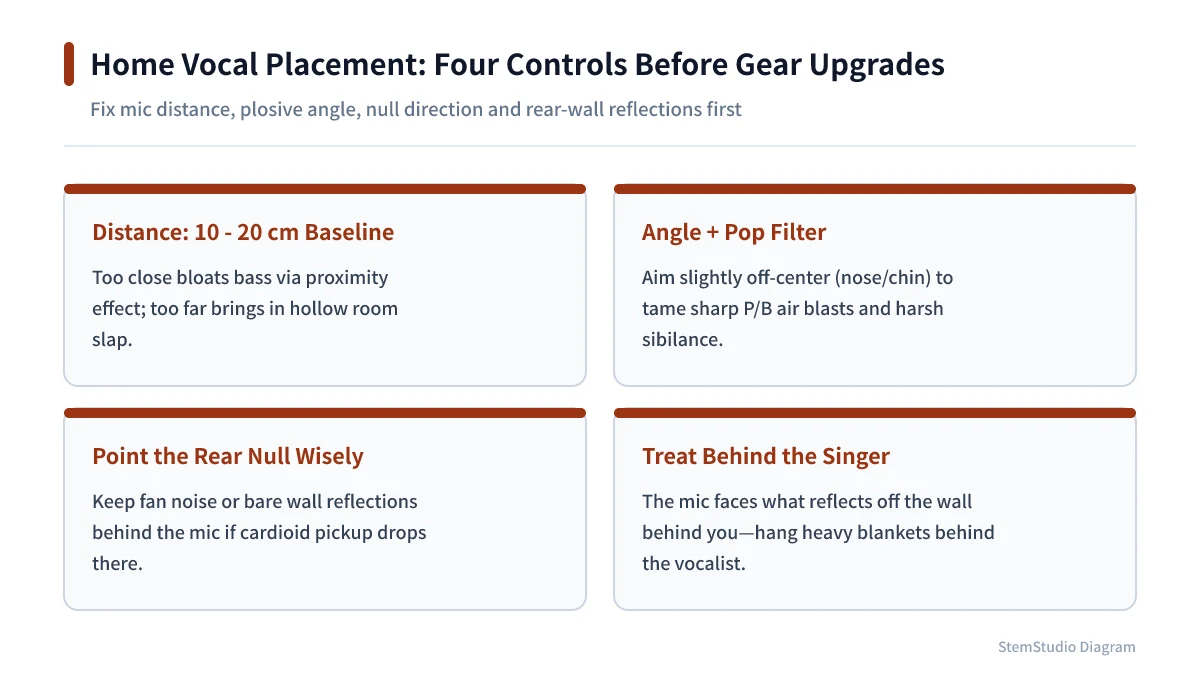
Four key placement factors for clean home vocal recording: 10-20cm distance, pop angle, rear null, and room damping
Distance consistency (10-20 cm), slight off-axis angles, and damping the wall behind the singer improve home vocals faster than gear swaps.

Keep the distance constant

Moving towards and away from the mic changes the tone as well as the level. Leaning back on a loud chorus or leaning in on low notes makes the balance wobble within a single take.

A pop filter tames plosives and also marks where your mouth should be. Set the filter and your position before you start.

You do not have to aim straight at the mouth

Sounds like “p” and “b” push a strong burst of air, which hits the diaphragm as a low thump. A pop filter is the basic fix, but angling the mic slightly off-axis, or aiming from a little above or below, also helps.

Harsh “s” sounds can calm down the same way. Too far off-axis changes the top end, so move a little at a time and compare recordings.

Check the room before the mic

Walls, windows and desks reflect your voice back into the mic. Mixed with the direct sound, that makes vocals sound boxy or makes some frequencies stick out.

If you can move, avoid the middle of the room and the space in front of a window; try somewhere with curtains, bookshelves or soft furniture, and put a rug on a hard floor. A few thin foam panels will not fix a whole room, though — low-frequency build-up in particular barely notices them.

Record short tests and compare

Change one thing at a time. First record at 10, 15 and 20 cm. Then change only the angle. Match the levels and listen. Even quick takes on the voice recorder make the difference obvious.

Leave headroom on the input level (Should you record loud?). Capturing the voice cleanly and consistently matters more than a big waveform.

An expensive mic does not guarantee a better recording. Fix the distance, cut the reflections and sing from the same spot — that unglamorous groundwork is what makes results repeatable.
Tools for this article

Share this article
Share on X

Read next

Mixing

Should you record as loud as possible? Why to stay away from 0 dBFS

Your meters do not need to hit the top. What 0 dBFS, clipping and headroom mean in digital recording, and how to set input gain step by step.

#Recording#Mixing
Covers

How to make a vocal cover: from recording to mixing and posting

The steps to finish one vocal cover, in order: choosing a backing track, recording settings (input level, mic distance), picking takes, mixing the vocal (EQ, compression, de-essing, reverb), finishing, and posting the video, with the rights points to watch.

#Covers#Recording
Covers

Singing or Playing Covers: Where Do You Actually Start?

You want to post a vocal or instrument cover, but what do you need and in what order? The minimum gear, the whole workflow, the usual first stumbles, and the rights question about backing tracks, in one place.

#Covers#Playing covers
Covers

Which DAW is used most? Put three surveys side by side and the answer changes

Cubase, Logic, Studio One, Ableton Live, FL Studio, Pro Tools: which DAW is used most? We compare the numbers from three surveys published in 2025, explain why each gives a different answer, and what matters more than any ranking when choosing.

#DAW#Background
Covers

How to make a playing cover: backing track, recording, video

The steps to finish a guitar or bass playing cover: learning and practising the part, preparing a backing without your part, DI versus miked recording, dealing with latency, syncing sound and video, guitar mixing starting points, and the rights points when posting.

#Playing covers#Recording
Covers

Should you record guitar DI? Amp recording, DI, and deciding the tone later with reamping

You can record a guitar by miking an amp or by taking the DI signal straight in. How the two differ, why recording both at once helps, and how reamping lets you send the DI back through a real amp afterwards.

#Covers#Recording

All articles