MP3 for size, WAV for quality — roughly right. But there is also FLAC and AAC, and the right answer depends on what the file is for.
Audio formats come in two kinds: those that shrink the file while keeping all the information, and those that shrink it by throwing some away.
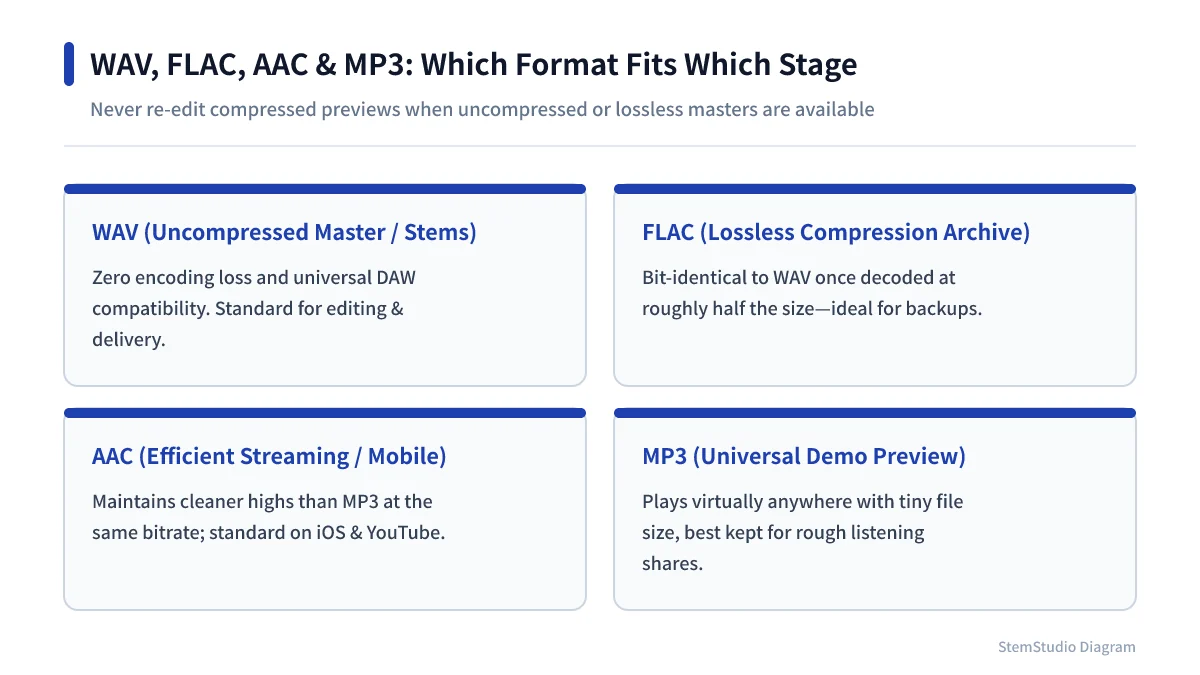
WAV: the standard for working and handing over
WAV is a container, most often holding uncompressed PCM audio. That makes files large, and makes WAV the common reference for editing and exchange.
Recordings, stems before mixing, masters — anything you may touch again is easiest to keep as WAV. Repeated edits and exports add no compression loss.
FLAC: smaller without changing the audio
FLAC is lossless: decode it and you get the original audio data back exactly, like a ZIP file for sound. It suits archiving with less space than WAV.
Some editors and players cannot open it, so check before sending FLAC to a collaborator.
MP3 and AAC: smaller by discarding information
MP3 and AAC are lossy. They use how hearing works to drop information that is hard to hear.
Format, encoder and settings all affect the result, so you cannot say “320 kbps MP3 always beats 256 kbps AAC” or the reverse. It depends on the material and the encode.
Lossy files are great for sharing and previews, and poor as source material for repeated editing. Converting an MP3 back to WAV does not restore what was discarded.
Which to choose
| Use | Choose | Why |
|---|---|---|
| Recording and mixing material | WAV | Works in nearly every DAW; built for editing |
| Long-term archive | WAV or FLAC | Keeps the original audio intact |
| Handing to a collaborator | WAV | Fewest compatibility surprises |
| Listening or sending on a phone | MP3 or AAC | Small files |
| Web distribution and previews | MP3, AAC, etc. | Follow the service’s supported formats |
Keep work-in-progress files separate from files for listening. Store the project in WAV and export MP3 or AAC copies for sharing. To change format, file conversion works without uploading the file anywhere.
Do not stack lossy encodes
Edit an MP3, save as MP3, export again as MP3 elsewhere — each encode removes more. Turning the first MP3 into WAV before editing does not recover what the first encode lost.
Encode to a lossy format once, at the point of sharing or distribution. Keep the WAV or FLAC, and you can make any other format or bitrate from the original later (why the bitrate you ask for is not the size you get).
Choosing a format is not just quality versus size. Decide whether the file is for editing, keeping or sending first, and you will avoid both oversized files and degraded working material.