跳到內文
  1. Blog
  2. Files

FilesPhotosPrivacyBasics

What your photos carry: where and when they were taken

Photos from a phone carry the time, the camera model and often the exact location. What survives, what gets stripped, and how to remove it when it matters.

Written by the site’s operator2 min read
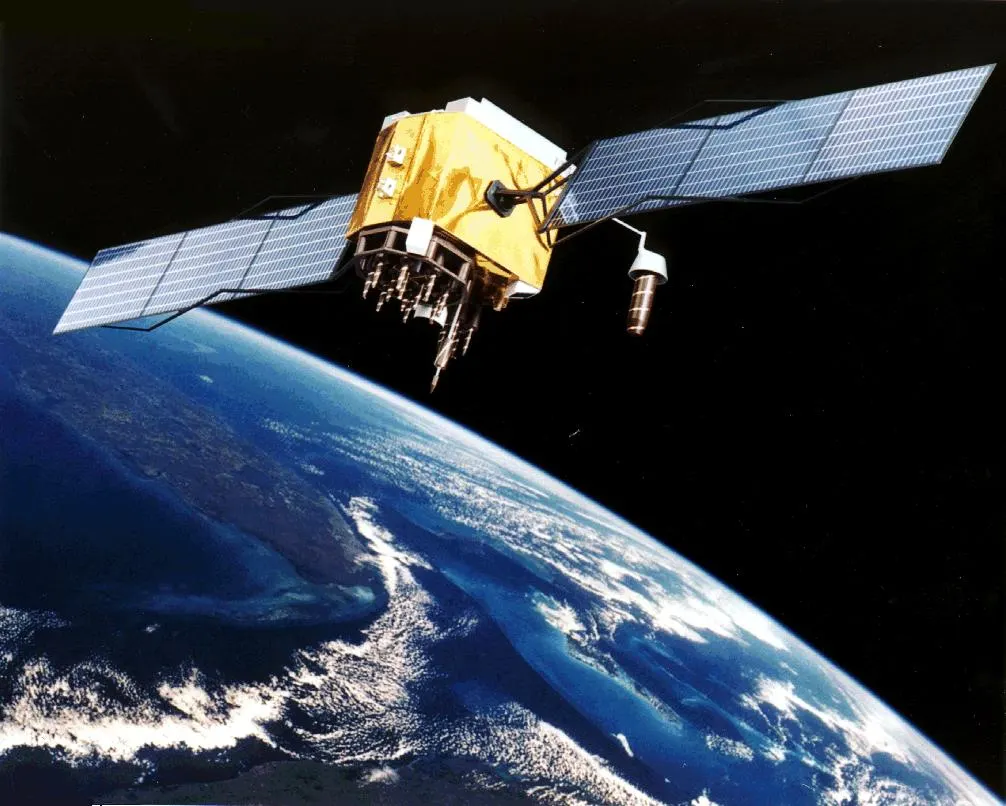
A GPS satellite (artist’s impression)
Phones work out their position from GPS satellites and may store it as the place a photo was taken.Photo: NASA / Public domain / Wikimedia Commons

A photo from your phone carries more than what is in the frame: when it was taken, on what, and often exactly where.

This is Exif data, written inside the file alongside the image. It is genuinely useful — it is why you can find when something was taken, or see your photos laid out on a map.

Handing the file to someone else is where it changes. Send the file as it is and all of that goes with it.

The photo
Date and time — when, and how regularly, you are there
Location (GPS) — latitude and longitude; indoors, down to the room
Camera model and settings — enough to group photos from one device
Orientation — remove this one and the picture ends up sideways
One photo is a point. Several become a line.
No single field is the problem — the combination is. A few photos with times and places start to describe a routine.

Posting to social media usually strips it

The reassuring part first. Most large social and photo-sharing services remove Exif on upload. They re-encode the image to save space anyway, and it falls out in the process. “Posting a photo reveals your address” is largely out of date.

It matters when the file itself changes hands: email attachments, choosing “send as file” in a chat app, cloud sharing links, listing photos on a marketplace. Those can pass the original along intact.

Two ways to deal with it

1. Never record it

Your phone can withhold location from the camera: on iPhone, Settings → Privacy & Security → Location Services → Camera; on Android it is in the camera app’s own settings. This affects photos from now on, not ones you already have.

2. Remove it afterwards

This site’s image metadata remover does it, and it lists what is inside before removing anything, so you can see whether location is even present before deciding. It handles several files at once.

One detail worth knowing: orientation has to be kept. Strip it along with everything else and portrait photos start displaying sideways. Some tools do exactly that, so after using any of them, check that your photos have not rotated.

None of this warrants alarm. Social posts usually drop it, and Exif is a useful thing to have. Worry when you hand over the file itself — that is about the right temperature.
Tools for this article

Share this article
Share on X

Read next

Files

Is it safe to upload your files to an online tool?

That small hesitation before you drop a PDF onto a converter site. Here is what actually differs between upload-based and in-browser tools, and how to check which one you are looking at yourself.

#Safety#In-browser processing
Files

“Can you make this image smaller?” — smaller how?

Dimensions, file size and quality are three different things. Which one you move changes the work entirely. Here is how to pick, and how to do each.

#Images#Files
Files

ローカル画像生成AIのはじめ方。手元のゲーミングPCで、実写もイラストも作れる

自分のPCで画像生成AIを動かす「ローカル画像AI」の入門。回数制限や月額を気にしなくていい理由、必要なPCの目安(VRAM)、実写・アニメ・高速生成の代表的なモデル、ComfyUIなどのソフト、導入の流れ、設定値、LoRAやControlNetなどの発展機能まで。

#画像#AI
Files

24-bit or 32-bit float, 44.1 kHz or 48 kHz? Choosing audio settings

24-bit, 32-bit float, 44.1 kHz, 48 kHz. Does a bigger number mean better sound? What sample rate and bit depth each do, and which to pick for music, video and handing work over.

#Files#Settings
Files

WAV, FLAC, MP3 or AAC? Which format to keep and which to send

Audio formats affect file size and editability as well as quality. The difference between lossless and lossy compression, and which of WAV, FLAC, MP3 and AAC to use for working files, archiving and sharing.

#Files#Conversion
Files

Merging PDFs — order, and what gets left behind

How to combine several PDFs into one, and what the result quietly loses. Worth knowing before you send a contract or an application.

#PDF#Files

All articles