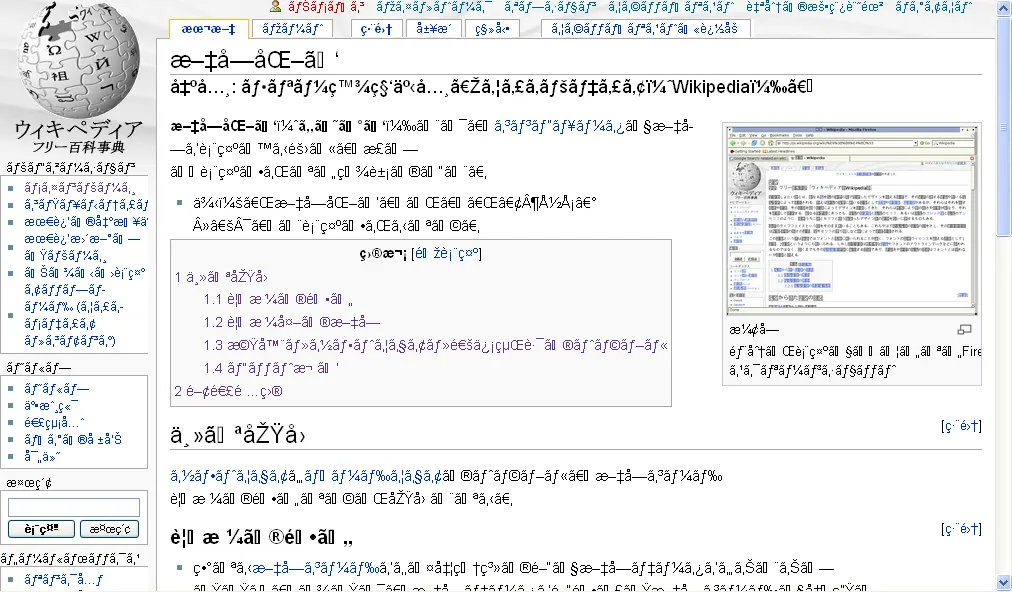
You open a CSV in Excel and it is full of nonsense. The instinctive reading is that the file broke. Usually it did not.
The contents are intact; only the interpretation differs. Open it the right way and it comes back exactly as it was. Without knowing that, people throw away files that were never damaged.
Why CSVs come out garbled in Excel
Most systems export CSV as UTF-8, while Excel, depending on the environment, opens a .csv as the legacy local encoding instead. The bytes are UTF-8; the rules applied are not.
There are three ways out.
- Save as UTF-8 with BOM — a short marker at the start saying “this is UTF-8”. Excel honours it. The least friction, and nothing to explain to the recipient.
- Import rather than open — Data → From Text/CSV lets you choose the encoding, leaving the file untouched.
- Have it exported in the legacy encoding — reliable where supported, but characters outside that set are lost, so it is hard to recommend first.
Other ways text breaks
- Only the email subject is garbled — subject lines are encoded separately from the body. Something sent by old software may not decode in current clients. If the body reads fine, the file is not the issue.
- Certain symbols break — characters that were platform-specific extensions land differently, or as blanks, elsewhere. Best avoided in anything leaving the organisation.
- One dash character breaks — there are visually near-identical variants (U+301C and U+FF5E), and conversions have swapped them for decades.
- Half-width kana vanish or scramble — a legacy of older standards, handled inconsistently. Normalising to full width avoids the problem.
Tools that help
To see how a CSV is actually being parsed, paste it into CSV ⇄ JSON converter — the table it produces shows exactly how the rows were split. Since you can choose the delimiter, it also separates “wrong encoding” from “wrong delimiter”.
For inconsistent width in kana and symbols, full-width / half-width converter normalises them, and lets you convert alphanumerics while leaving kana alone — useful for tidying address lists.
In short: when you see mojibake, suspect the reading before the file. Keep the original and try opening it as something else. Done in that order, you usually lose nothing at all.